Iterava
ANCHOR STREAM
ANCHOR STREAM
Couldn't load pickup availability
Self-paced learning overview
- 📥 Digital file available after purchase
- 🗂️ Long-term availability
- 🔒 Secure checkout
- 🗓️ Content updated in 2026
1. Problem Statement
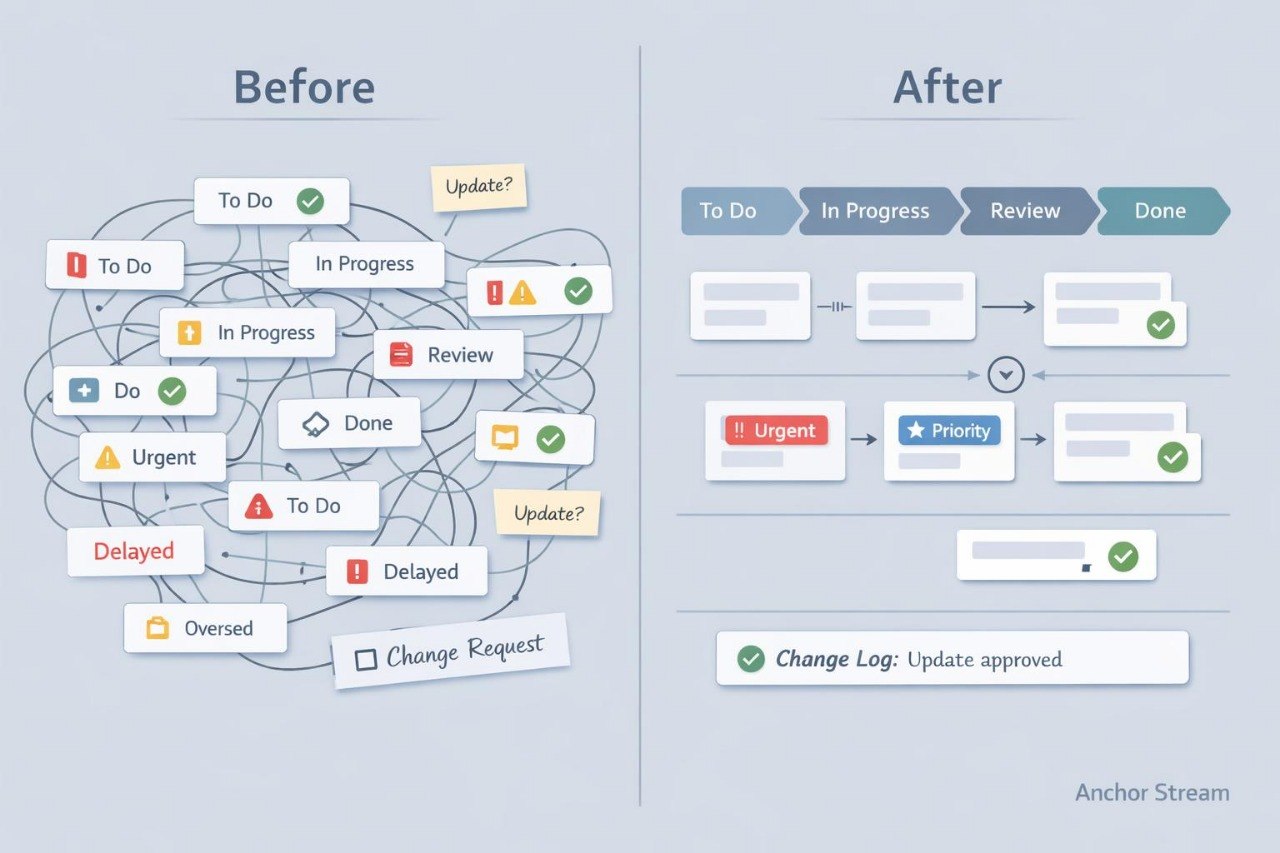
Struggling to maintain order when several project tasks are moving at the same time? You are not alone: even a clear initial plan can lose structure when new requests, clarifications, and dependencies appear. Team members may interpret priorities, deadlines, and ownership of follow-up actions differently. Without regular coordination, individual tasks can become delayed while important decisions remain only in conversations. As a result, the workflow becomes harder to follow, and the team may need to discuss previously agreed details again.
2. Solution
This course will teach you how to organize a clear workflow around the central anchors of a project. You will explore ways to arrange tasks according to priority, dependencies, and working sequence. The course explains how to conduct concise coordination reviews, document decisions, and update the current state of work. You will learn to identify deviations from the plan and decide which activities require adjustment. The practical materials will help you build a working system for a small or medium-sized digital project.
3. What’s Inside
Module 1: Project Anchors
Identify the goals, checkpoints, dates, and decisions that should remain stable reference points as the project develops.
Module 2: Workflow Structure
Learn how to organize tasks by stage, status, and logical sequence so that the overall direction of work remains visible.
Module 3: Dependencies and Handoffs
Explore how to identify tasks that rely on earlier activities and how to transfer work between contributors while preserving context.
Module 4: Priority Mapping
Study criteria for arranging tasks according to importance, deadlines, effects on other activities, and available resources.
Module 5: Coordination Checkpoints
Use a structured review format covering completed work, current activities, recent changes, blockers, and the next required decision.
Module 6: Change Tracking
Learn how to record adjustments to scope, dates, ownership, and agreed outcomes without producing unnecessary documentation.
Module 7: Anchor Stream Board
Complete a final assignment by creating a workflow map with stages, dependencies, priorities, checkpoints, and a change record.
4. Who Is This For?
✅ This course may suit you if you:
- coordinate several connected tasks;
- work with a small or medium-sized team;
- want to understand dependencies between project stages;
- regularly review dates and priorities;
- need a clearer process for transferring work between contributors;
- already understand the foundations of Digital Project Management.
❌ This course may not suit you if you:
- are not yet familiar with core digital project roles and stages;
- are looking only for budget-planning materials;
- work without team coordination or connected tasks;
- do not intend to create your own workflow map.
5. What You’ll Learn
After completing Anchor Stream, you will be able to:
- define three to five central project anchors;
- organize tasks across at least four working statuses;
- map dependencies between ten or more activities;
- create a handoff sequence for several contributors;
- prepare a format for a concise coordination meeting;
- maintain a change record containing dates, reasons, and ownership;
- revise priorities after a change in scope or timing;
- prepare a complete workflow map for a learning scenario.
6. Refund Terms
A refund request for Anchor Stream may be submitted within 30 calendar days of the purchase date. Each request is reviewed according to the store policy, enrollment terms, and the extent to which the course materials have been used. Detailed submission instructions are provided in the Iterava refund policy.
7. Certificate
After completing all modules and the final assignment, you will receive an Iterava certificate. The document confirms completion of Anchor Stream: Digital Project Workflow Coordination.
1. Do I need previous Digital Project Management experience?
1. Do I need previous Digital Project Management experience?
No. Iterava courses are organized step by step, beginning with core concepts and roles before moving into planning, coordination, documentation, and workflow analysis. The depth of the materials gradually increases with each plan.
2. How are the courses organized?
2. How are the courses organized?
Each course contains thematic modules, written explanations, working examples, diagrams, review questions, and practical assignments. You can study the materials at your own pace and return to earlier topics while completing the exercises.
3. How long does a course take?
3. How long does a course take?
The study time depends on the number of modules, the complexity of the assignments, and your personal learning rhythm. Each plan contains a different amount of material, so advanced plans require additional time for careful study.
4. Is a certificate included?
4. Is a certificate included?
Yes. After completing every module and the final assignment, the learner receives an Iterava certificate. It includes the course name and confirms completion of the learning program.
Share